
Checklists
Reusable QC checklist templates applied to jobs. Per-item pass/fail with optional photo or note.
Checklists are reusable templates you apply to a job for quality control and consistency. Each item is walked and marked off, with an optional photo or note.
Checklists live on the job record, not on the My Jobs phone view. A tech working from their phone can't tick items off there yet; today someone walks the checklist from the job's Operations tab.
Templates
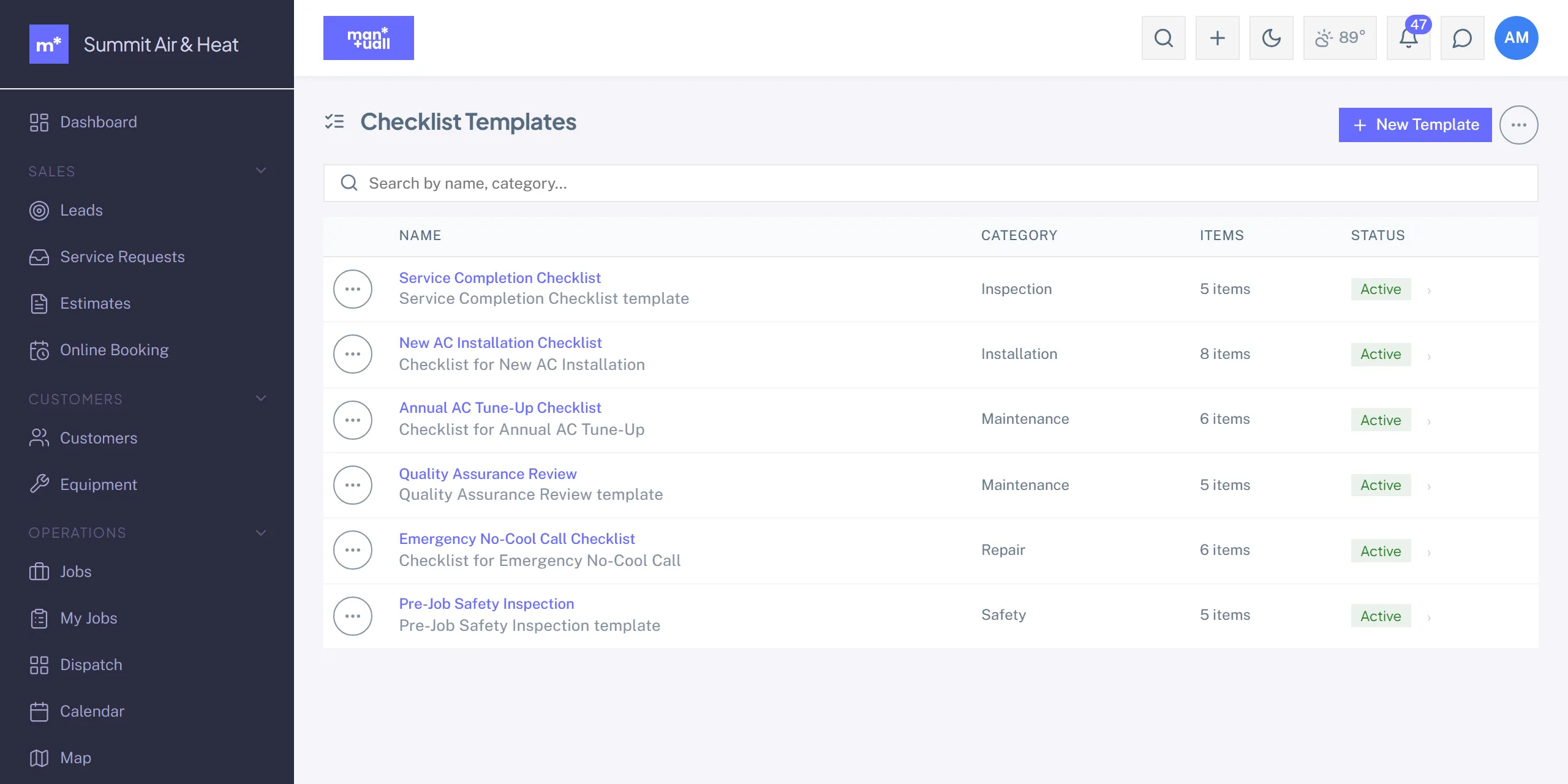
Sidebar -> Checklists. Each template carries:
- Name and trade tag.
- Ordered items.
- Per item: the text, and optional flags to require a photo or a note.
Putting one on a job
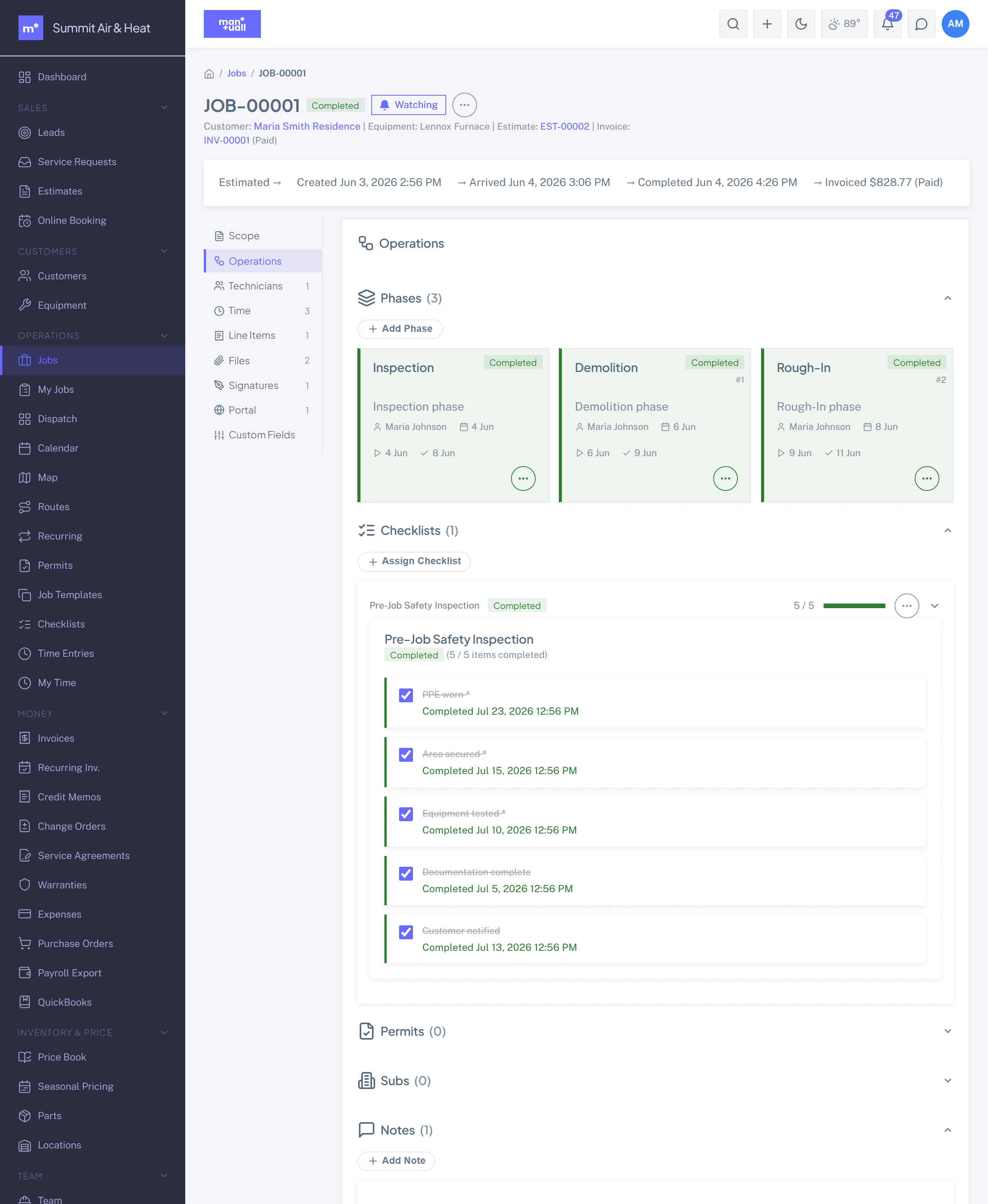
Job detail -> Operations tab -> Assign Checklist. The instance lands on the job, and anyone with access to the job walks the items there. A Job Template can also name default checklists, so jobs created from that template get them attached automatically.
Vertical pack checklists
Each shipped pack includes 3 trade-standard checklists, shipped for you to review against your own procedure. Review them against how your shop actually works before you rely on them.
In Analytics
Analytics -> Checklist & Compliance: completion rate, average items per checklist, item pass rate, most-used template, and jobs with no checklist.
Plan tier
Authoring and editing checklist templates is Professional and up. Pack-seeded templates stay viewable on every plan, so a lower-tier shop can still run the checklists its trade pack shipped.