
Quoting & Collecting in the Field
How a tech prices extra work off the price book, closes out a visit, and takes cash, a check, or a card link before leaving.
A tech used to hand the job back to the office and drive away. Now the visit can end where the work ended: the customer sees a price for what else needs doing, and pays for what was done today before the truck leaves.
Both halves are optional, and both are off-able per shop. If you would rather your techs never touch money, turn one permission off and their job screen goes back to exactly what it was.
The two permissions
| Key | What it unlocks | Default |
|---|---|---|
| FieldQuote | Build an estimate from the price book for work the customer is not having today | On for Admin, Manager, Technician |
| CollectPayment | See what the visit comes to and take cash, a check, or send a card link | On for Admin, Manager, Technician |
Change either in Settings, Roles. Neither is the Invoices permission, and that gap is the control: a tech can record a payment and can never edit, void or refund one afterwards. The person who took the cash cannot adjust the record of it.
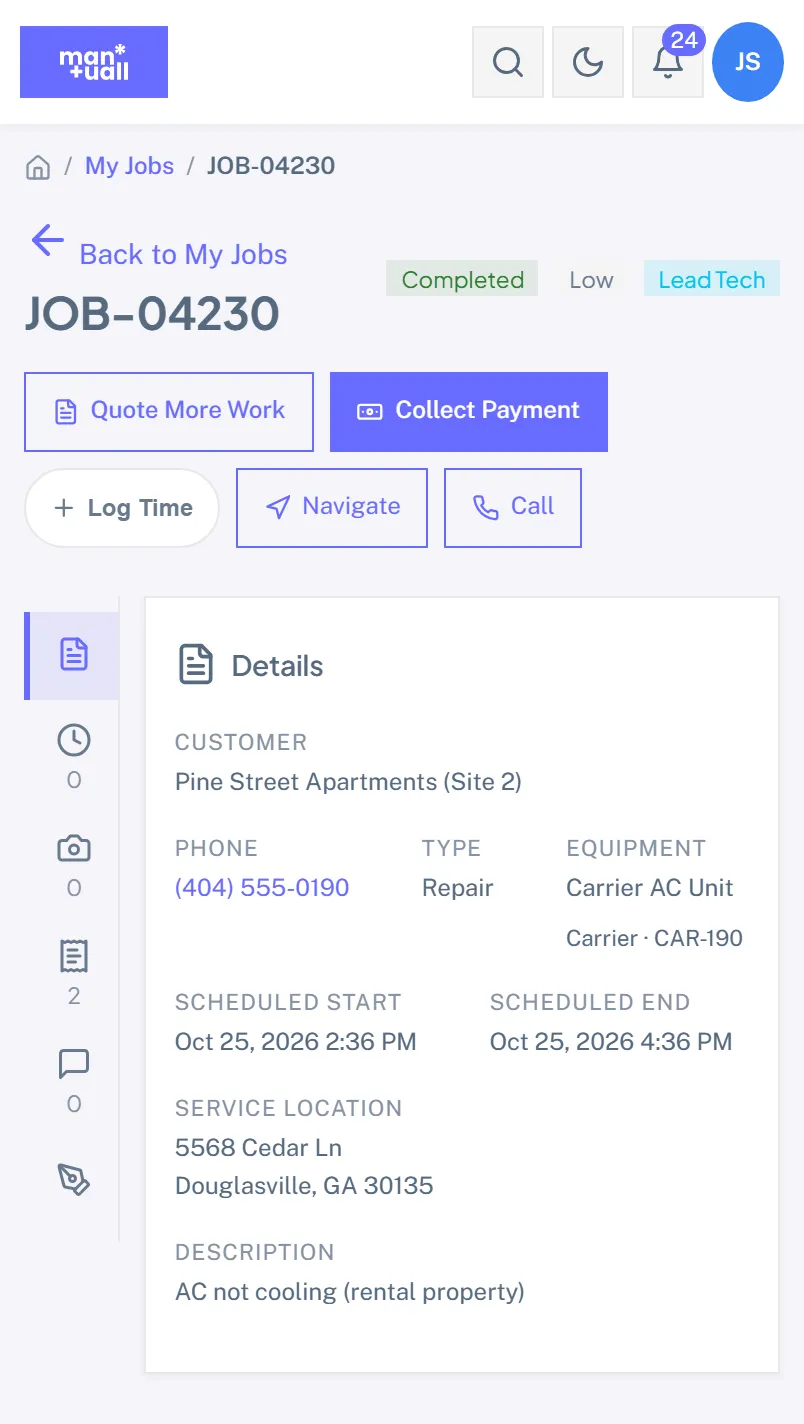
Quoting work they are not having today
The compressor that will fail next month is the classic case. It is not today's job, it should not be on today's invoice, and it needs a real number.
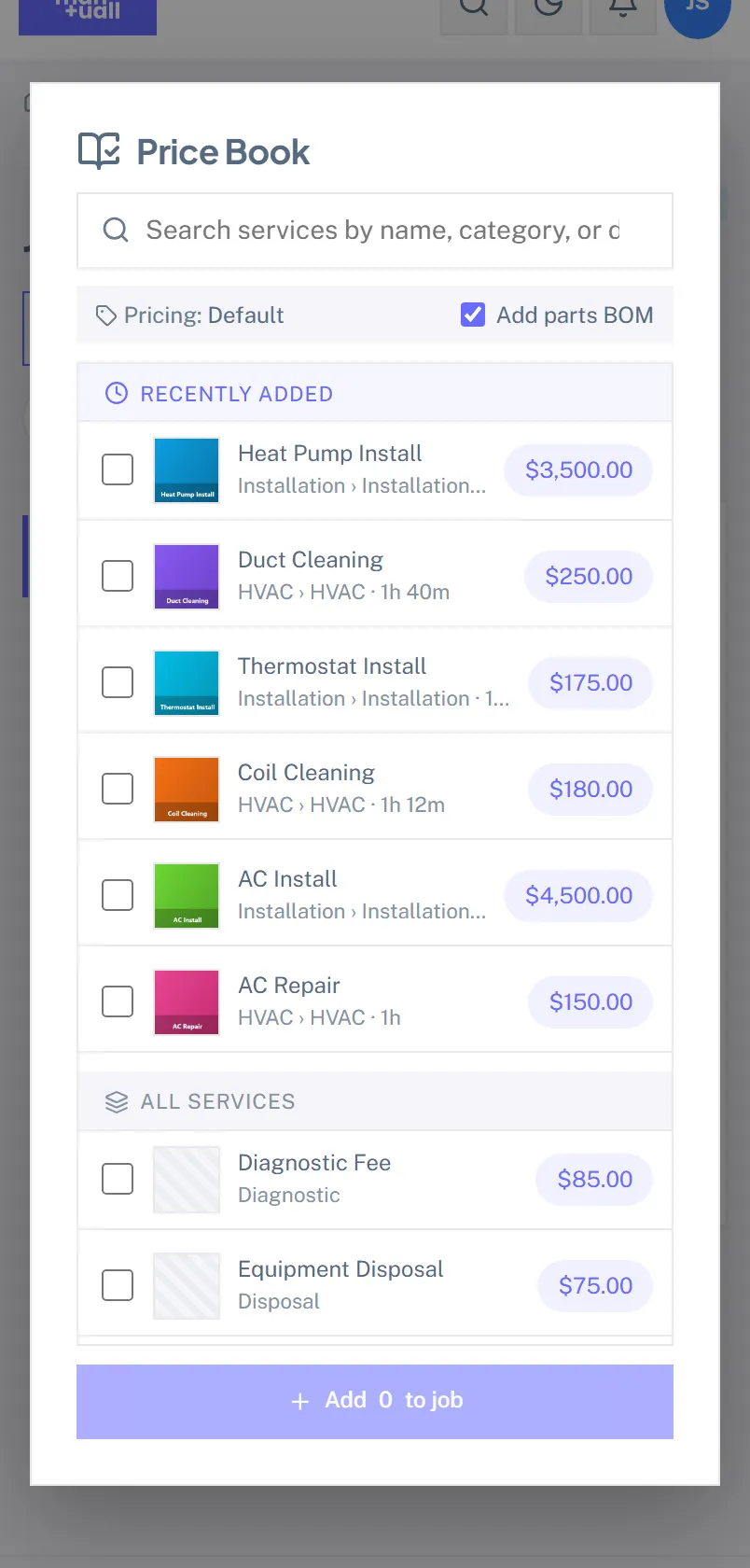
- On the finished job, tap Quote More Work.
- Tap Add from price book and pick the work. The same catalogue the office quotes from, with the same tiered pricing, so a quote raised in a driveway prices identically to one raised at a desk.
- Add as many lines as it takes. Remove one with the bin icon.
- Tap Send it to them.
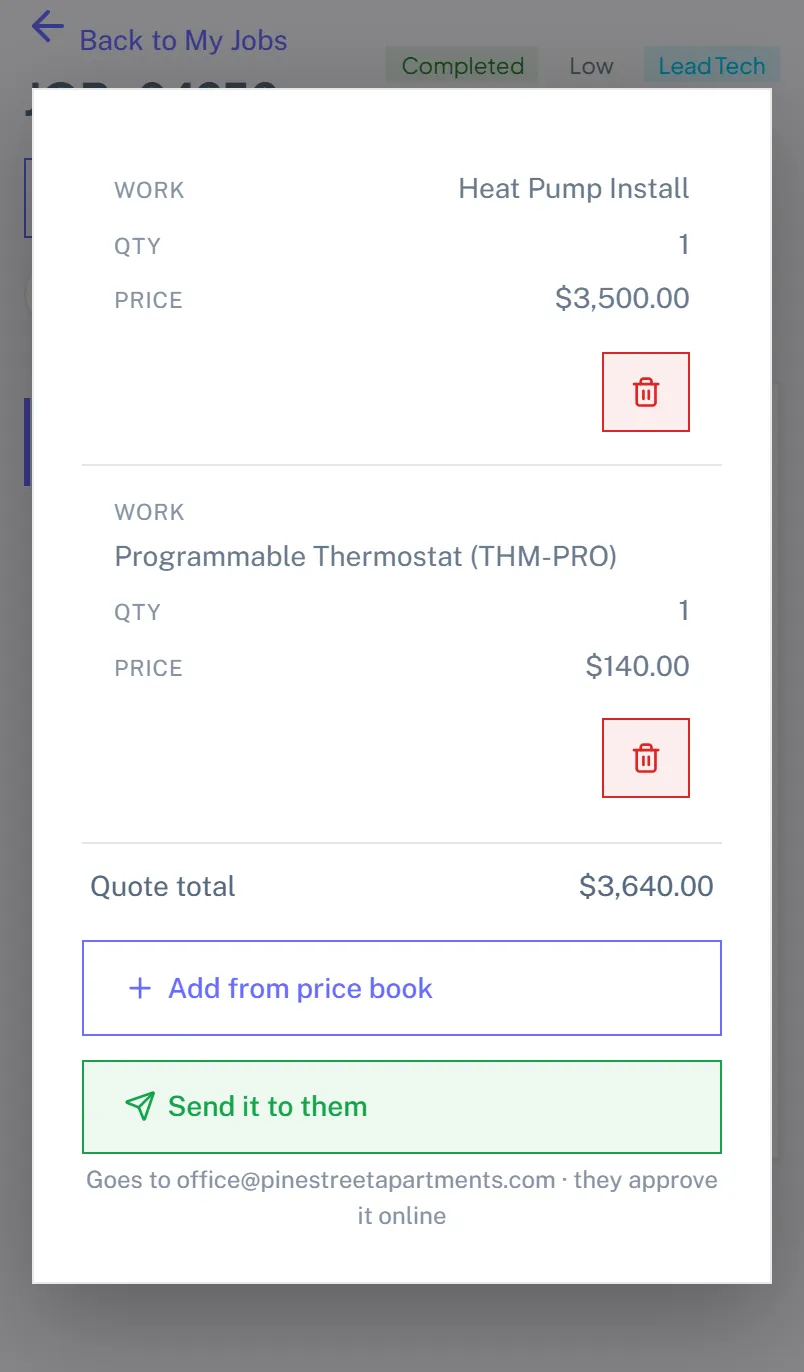
There is no amount field anywhere in this flow, and that is deliberate. A number typed in a crawlspace is the one that turns up wrong on a quote three weeks later.
The customer gets a normal estimate, and approves it in the portal where approving can also take a deposit. It is marked Sent, never Approved: a tech ticking "accepted" on their own quote is not a record of anybody having agreed to anything.
Each quote belongs to the visit it came from, not to the customer, so two techs at the same address on different days do not end up editing each other's draft. The office sees which visit produced it, which is what makes the follow-up call worth making.
If the customer has no email on file the quote is still saved; the office can send it. The tech is told so rather than left tapping a button that does nothing.
Closing out the visit
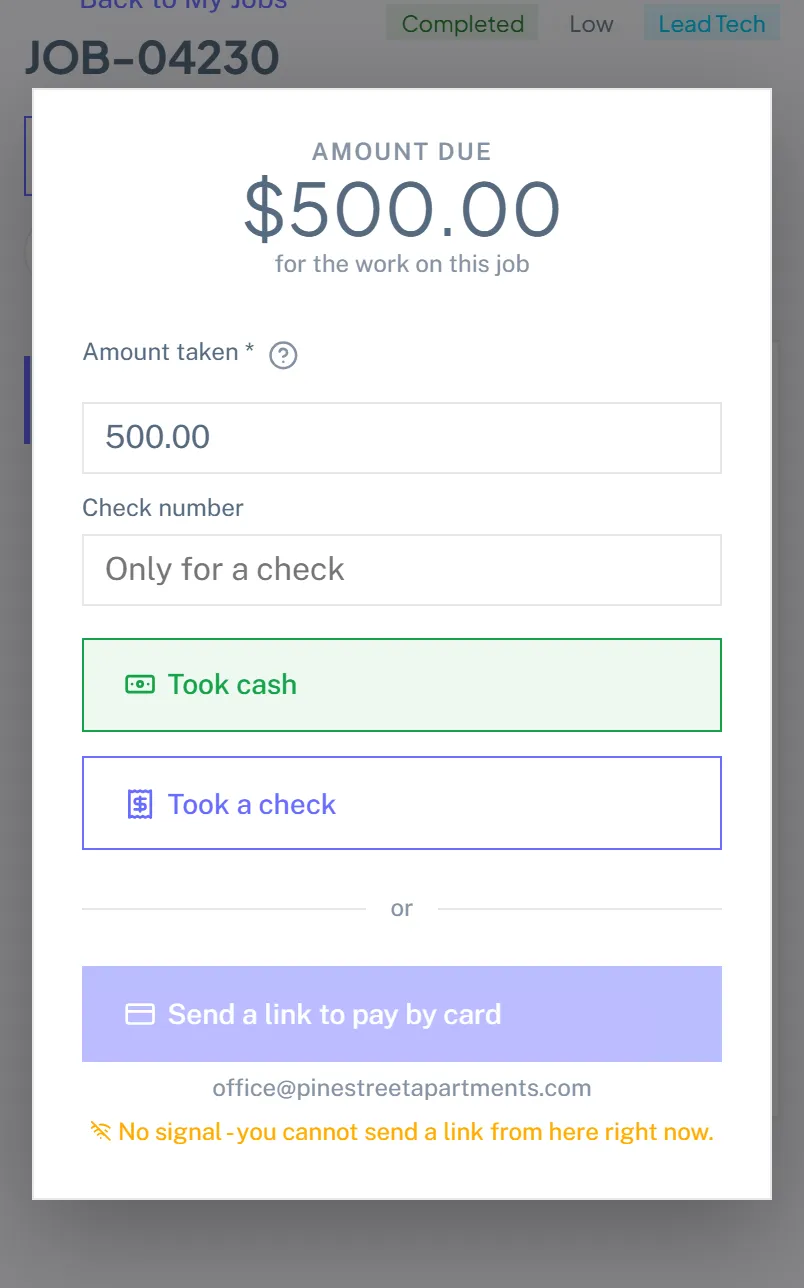
- Tap Collect Payment. It appears once the job is marked Completed, because settling up is something you do after the work, not during it.
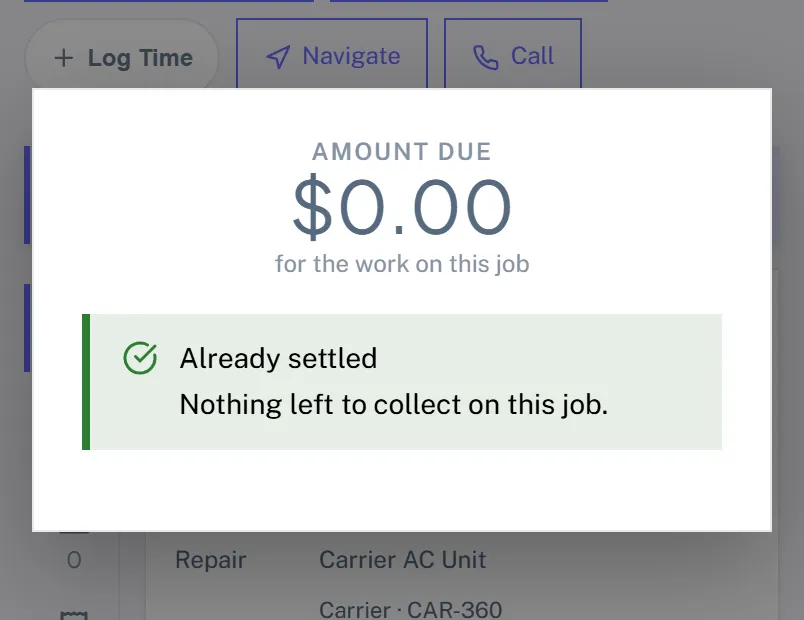
- Read the amount. This is the balance, not the invoice total. If the customer already paid a deposit, those differ, and asking for the wrong one is the mistake this screen exists to prevent.
- Take the money.
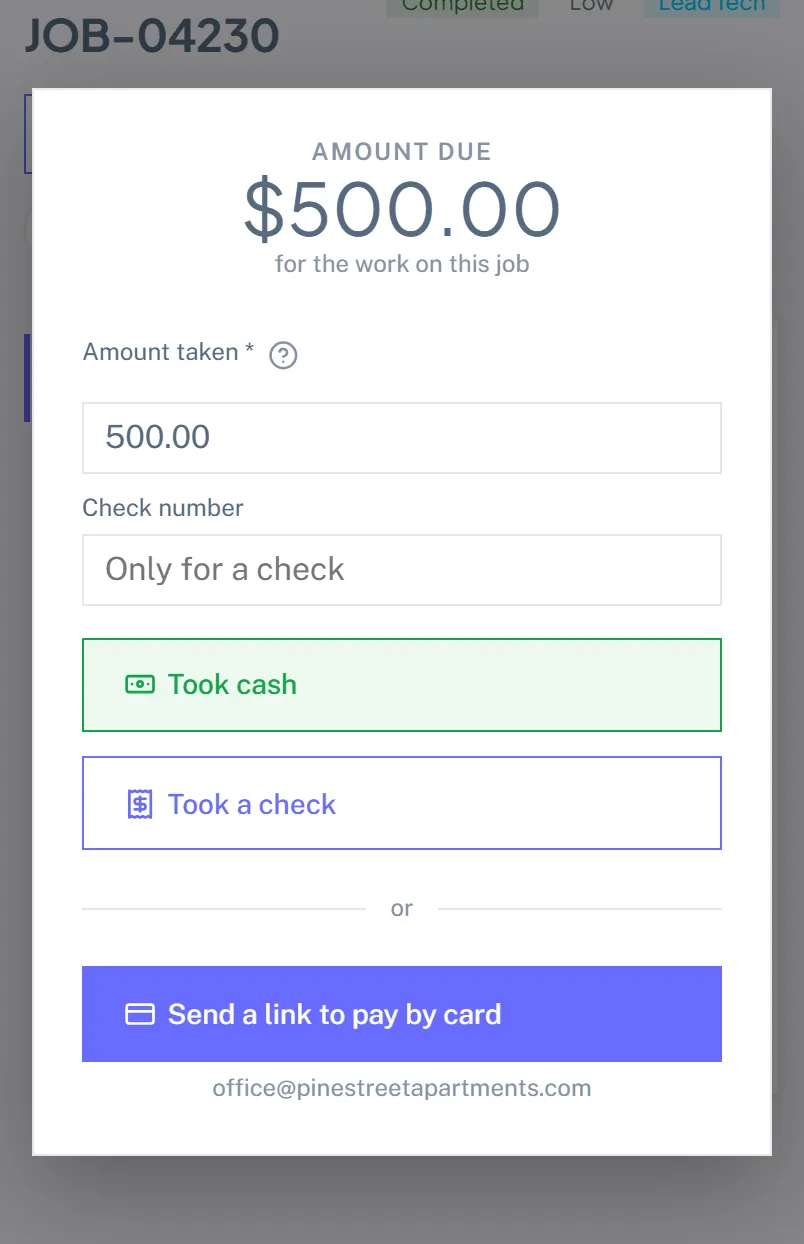
The amount defaults to the full balance and can be edited down if they are paying part of it. There is a check-number field, used only for a check.
Cash and checks
Two buttons, Took cash and Took a check, rather than a method dropdown. On a phone a select is a fiddly extra step and there are only ever two answers.
Recording either creates the invoice if one does not exist yet, applies the payment, and emails the customer a receipt. The invoice is built by the same code the office's Auto-Invoice button uses, so a job billed in a driveway and a job billed at a desk produce the same document. Tapping twice does not double-bill: an invoice that already exists is reused, not duplicated.
Card
Send a link to pay by card emails the customer a Stripe Checkout link on your own connected account. They get whatever you are approved for: card, Apple Pay, Google Pay, Link, bank debit. The button only appears when the customer has an email address and your Stripe account can take charges.
What happens with no signal
Cash and checks keep working. A cheque handed over is a record of money that already changed hands; if the request fails it can be retried, and retrying does not un-take the money.
The card link is different, and it is the one thing that is switched off. Sending a link does nothing at all without a server, and a tech who taps it and walks away would believe the customer had been emailed. So the button disables itself the moment the device goes offline and says why, rather than failing quietly.
How the office reconciles it
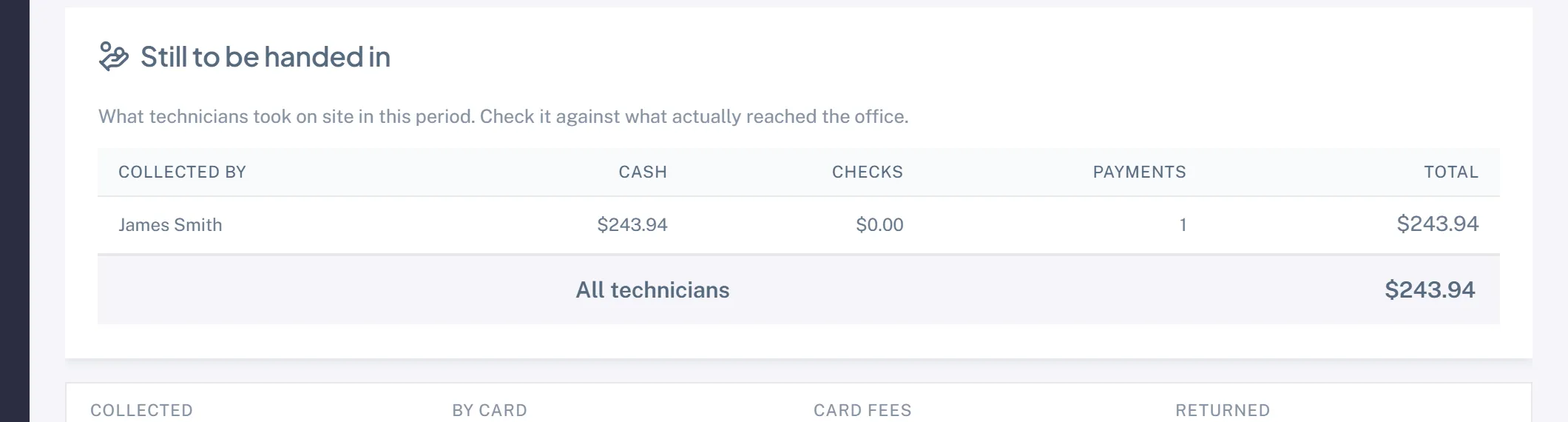
Field collections are money in somebody's pocket until it reaches the shop, so they are marked as such.
Open Payments and choose the Field filter. You get every cash and cheque a tech recorded on site, with a summary of cash versus cheques, so somebody can count what is in the truck against what the system believes was collected. Payments taken at a desk are not in this list.
Nothing else about the money changes: the payment lands on the invoice like any other, revenue is recognised the same way, and QuickBooks gets the same push.
Turning it off
Settings, Roles, Technician. Untick CollectPayment and the Collect Payment button disappears. Untick FieldQuote and Quote More Work does. Existing invoices, payments and quotes are untouched.
Plenty of shops will not want techs near money at all, and that is a legitimate way to run a business. This ships on because the shops that want it should not have to discover a setting to get it.
Common questions
Can a tech change a price? No. Everything comes off the price book at its catalogue price, including the customer's tier.
Can a tech refund? No. Refunds live under Invoices, which a technician does not have.
What if they take the wrong amount? The office corrects it from the invoice. The tech cannot.
Does this need Stripe? Only the card link. Cash and cheques work with no payment provider configured at all.