
Change Orders
When scope changes mid-job, log the delta, get it approved, and roll it into the bill.
Scope changes mid-job. A repair turns into a replacement. A commercial install finds an asbestos panel behind the wall. The customer asks you to upgrade a fixture while you're already there.
The wrong move is to quietly edit the original estimate or invoice. The right move is a Change Order: a formal addendum that records what changed, when, who approved it, and the cost delta.
Change order or just an edit?
| Situation | Right move |
|---|---|
| Original estimate had a $5 typo | Edit the line. The audit log captures it. |
| Customer added a service mid-job (+$180) | Change Order. |
| Hidden problem found mid-job (rotted joist, +$650) | Change Order. |
| Swap a $200 part for a $350 part | Change Order (remove old line, add new). |
| Tech quoted wrong from memory | Change Order, if the customer agrees to the revised price. |
Rule of thumb: if the customer is paying a different amount than what's on their original estimate, it's a Change Order.
Creating one
A change order hangs off an approved estimate, not off the job directly. Two ways in:
- From the estimate: open it and press Create Change Order.
- From the sidebar: Change Orders, then New, and pick the approved estimate from the list.
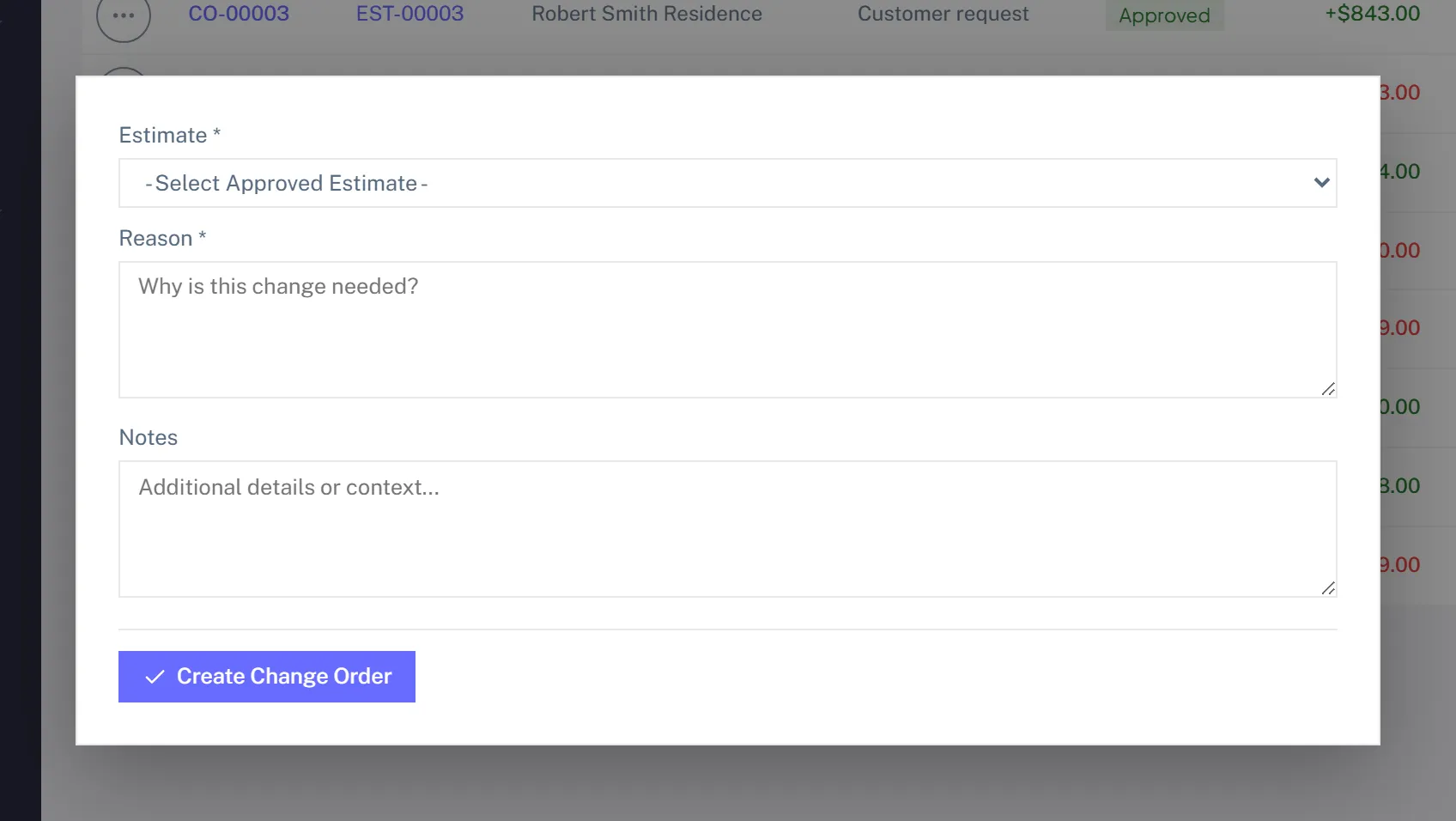
The form asks for two things:
- Reason, in a sentence a customer would accept: "Hidden rot in joist, +2 hr labor and a reinforcement bracket."
- Notes, for anything internal.
Save, and the change order exists. Its line items come next, on its own page: positive amounts for new charges, negative amounts for credits owed back. Then send it for approval.
The lifecycle
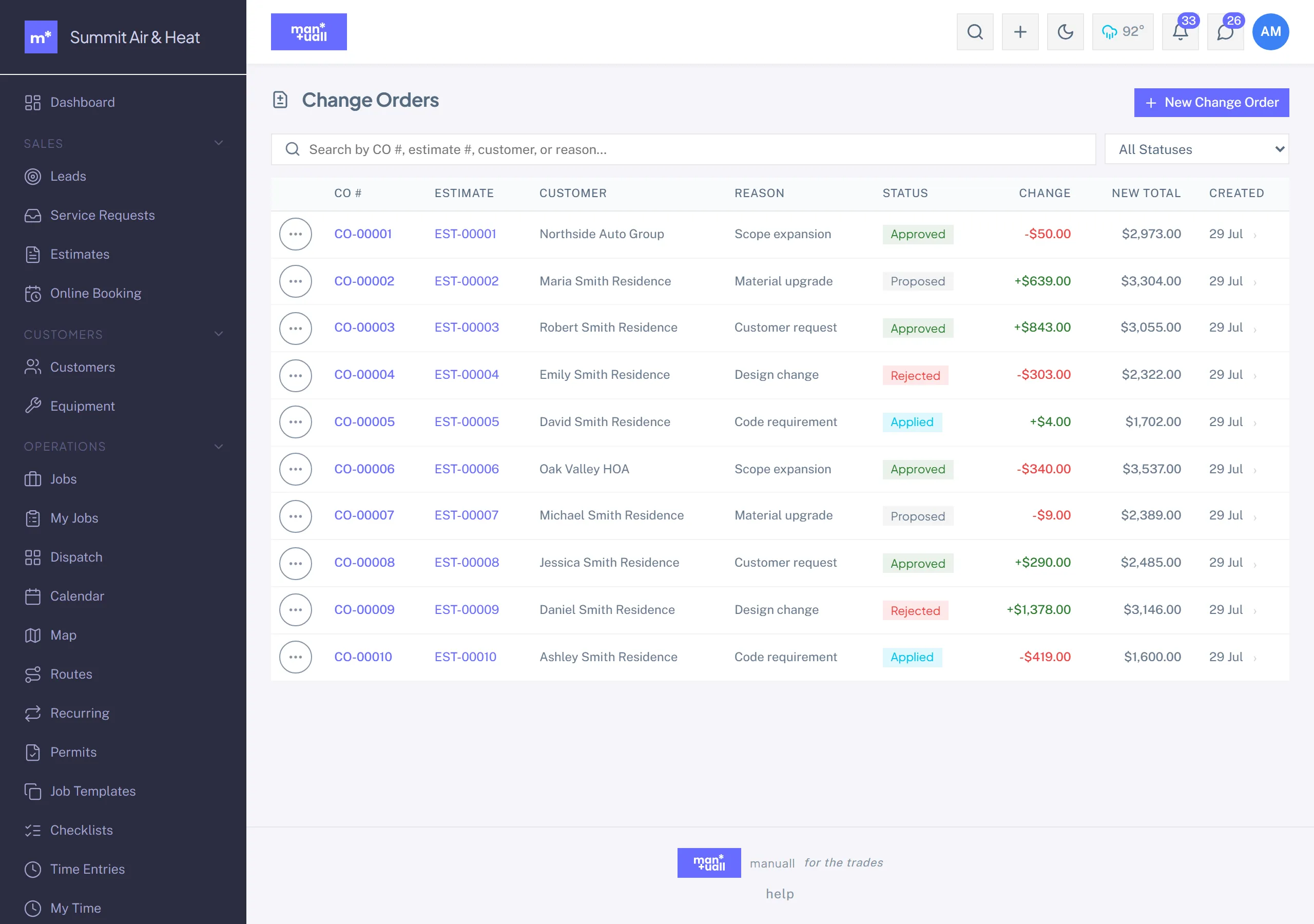
A change order moves through a fixed set of states: Proposed (built and sent) -> Approved or Rejected -> Applied. Applying it rolls the change-order lines into the job's (or estimate's) total. Void withdraws one you no longer want. Approved and applied stamp who and when.
How the customer approves
Same as estimates. They get a portal link, see the original job context plus the change-order lines, and click Approve or Decline. Most shops bundle the change-order amount into the final invoice rather than collecting it separately.
Impact on the final invoice
When the job is marked Complete, the invoice includes the original lines, plus the approved change-order lines, minus any deposit, equals the balance due. Each change order shows as its own sub-section on the invoice, so the customer sees the breakdown. No surprise totals.
Capturing the approval
| Modality | How |
|---|---|
| Portal click | Customer clicks the link. Approval stamps a timestamp and IP. |
| On-site signature | Tech captures the customer's signature on the phone from the change-order detail. |
| Phone (verbal) | Office marks it approved and notes "Approved verbally on the phone, [date/time]." |
| Email reply | Office marks it approved and attaches the email as evidence. |
In Analytics
- Project Management -> Change Order Approval Rate: what share get approved. A low rate suggests pricing surprises; raise it by quoting more carefully or walking the customer through the order in person.
- Project Management -> Change Order Amounts: total approved value this period, an indicator of scope creep.