
Trash & Recovery
Recover soft-deleted records, or permanently delete them. Admin-only.
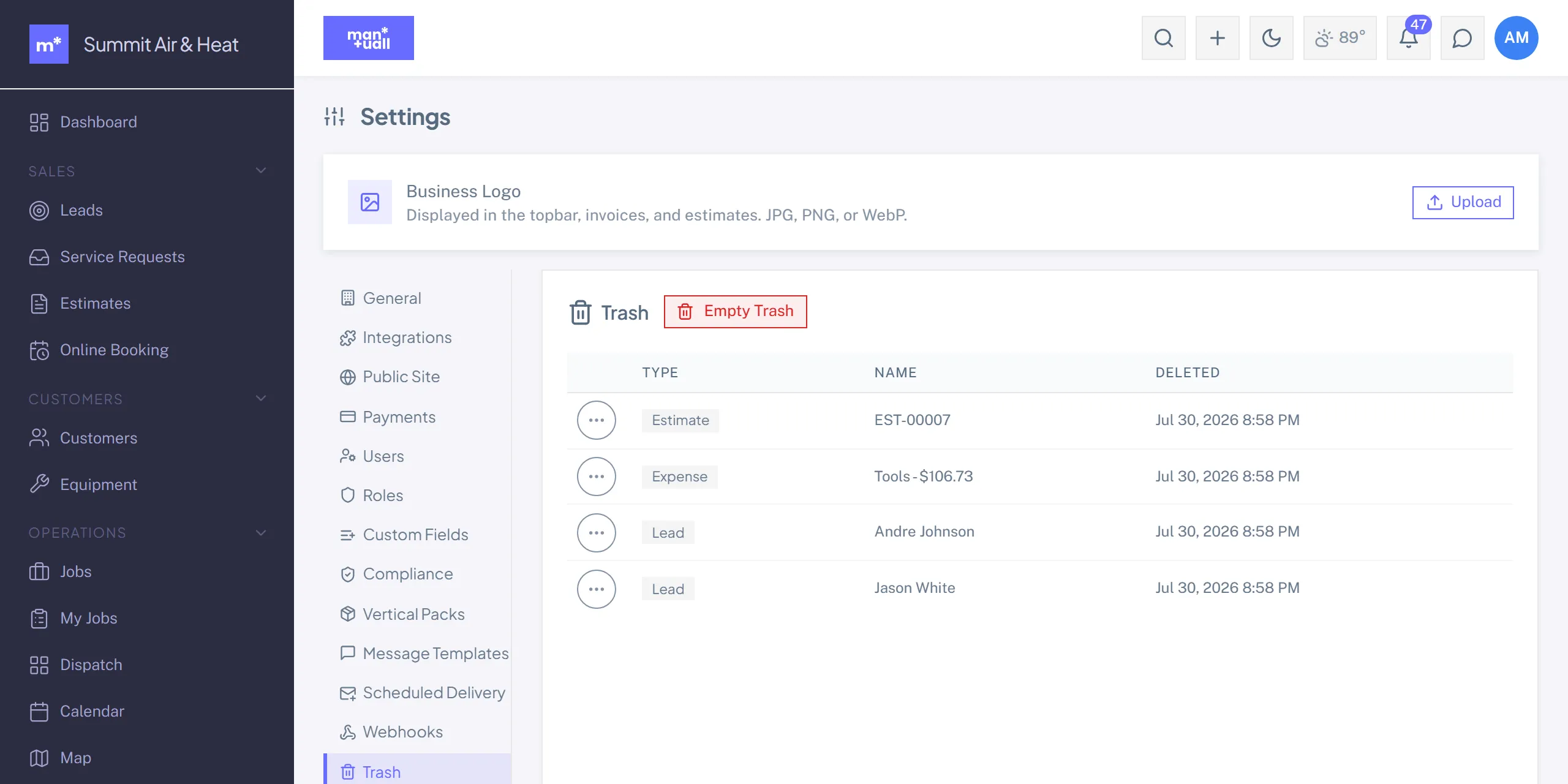
Recover soft-deleted records, or remove them for good. Admin-only, at Settings -> Trash (or /trash).
What lives in Trash
Any record that was soft-deleted: customers, jobs, equipment, estimates, invoices, credit memos, change orders, purchase orders, leads, parts, services, service agreements, team members, users, expenses, vehicles, subcontractors, warranty claims, KB articles, custom reports, and the templates and settings rows that can be deleted (checklist, job, message, reply and survey templates, survey campaigns, inventory locations, expense policies, webhooks).
Restore
Trash -> pick the entity type -> tick rows -> Restore. The record is live again.
Permanent delete
Trash -> tick rows -> Permanently Delete. Irreversible. The audit log records the permanent-delete event. There's also an Empty Trash for clearing it all at once.
Permanent delete can orphan child records.
Permanently delete a customer and their jobs and invoices stay behind without a parent. Best practice: restore when something was deleted in error, and only permanently delete when you're sure (a test customer, say).
Plan tier
Trash is on every plan.